Reducing the burden of restaurant finding for people with disabilities

DineAble is a restaurant discovery platform that helps people find and evaluate restaurants based on their individual accessibility needs.

UX Design Awards

UX Design Awards

This case study was nominated for the UX Design Awards 2025. Check the nomination here.

This case study was nominated for the UX Design Awards 2025. Check the nomination here.

Timeline

February 2025 –

August 2025

Feb 2025 –Aug 2025

ROLE

Lead Product Designer:

  • Wireframes & prototypes

  • User research

  • Usability testing

Team

2 Designers

1 PM

Key terms

User Interviews

Affinity diagram

UX Research

My role

Context

This project began as part of the Wellesley in Product group. At the end of the semester, I decided to continue developing DineAble independently.


My team and I wanted to explore how technology could make everyday experiences more inclusive. One of my peers, who is part of the disability community, shared how dining out is often stressful and inaccessible. That personal perspective drove us to the question:


Why is eating at a restaurant still so difficult for people with disabilities?

Problem

Accessible apps are failing people with disabilities

  1. Accessibility information online is often incomplete or outdated

  2. Most restaurant websites and listing platforms (like Google Maps or Yelp) lack reliable details about accessibility features such as ramps, restrooms, or seating.

  3. Restaurants themselves rarely communicate accessibility information clearly, either online or in person.

Accessibility apps are failing people with disabilities

While accessibility apps exist, they have usability issues:

1 in 4 adults in the U.S. lives with a disability, but finding an accessible restaurant is still a frustrating, uncertain process.

1 in 4 adults in the U.S. lives with a disability, but finding an accessible restaurant is still a frustrating, uncertain process.

Most apps rely on crowd-sourced data, so users are stuck documenting accessibility themselves after every visit. Coverage is small, and many restaurants aren't listed at all.

Most apps rely on crowd-sourced data, so users are stuck documenting accessibility themselves after every visit. Coverage is small, and many restaurants aren't listed at all.

research

Interviewed target group to understand how they currently choose restaurants to go to
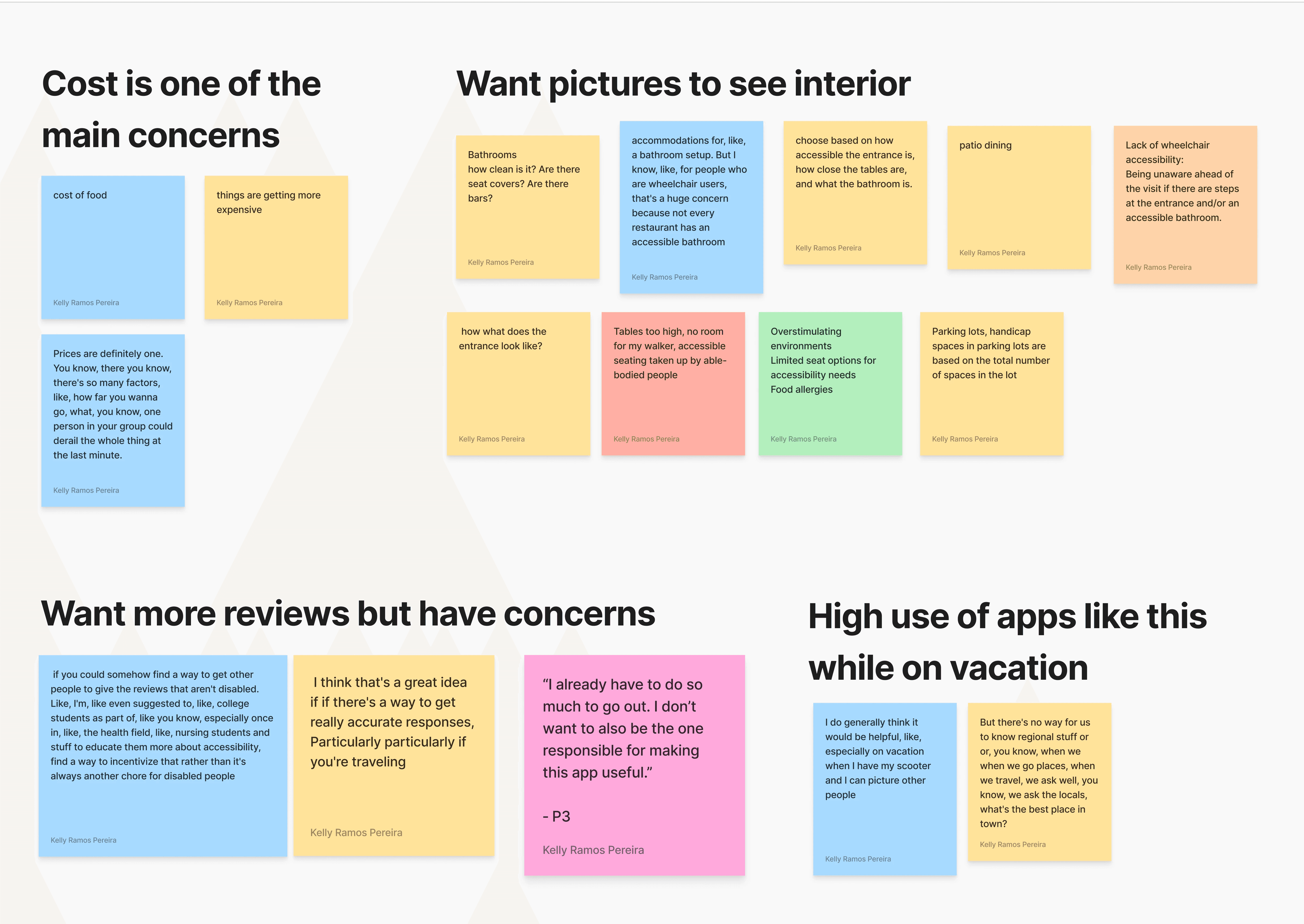
I interviewed 5 participants with different accessibility needs, to understand how they currently choose where to eat.

I interviewed 5 participants with different accessibility needs, to understand how they currently choose where to eat.

Organized the notes, quotes, and data from my research through affinity mapping.

A sneak peek into the affinity mapping

THEME 1

Apps Place the Burden on the Community

Participants described going to restaurants as overwhelming. They added that existing apps worsened this by expecting they would supply the app with information about restaurants.

Design principle: Don’t put the burden of documentation on people with disabilities.

THEME 2

Users feel motivated by helping others they already know

Users trust reviews more when they come from people they know or have seen online before. They also feel more motivated to contribute when they know who they are helping.

Design principle: Foster sense of trust, motivation and community inside the solution.

THEME 3

Photos Speak Louder

Than Words

A “wheelchair accessible” tag is vague. A photo of an entrance or restroom is much more helpful because everyone’s needs are different.

Design principle: Prioritize visual information, reward picture contribution.

THEME 1

Apps place the burden on the community

Users are expected to document and maintain accessibility info themselves

THEME 2

Users feel motivated by helping others they already know

Peers and community members are more trusted than crowd-sourced entries

THEME 3

Photos speak

louder than words


A "wheelchair accessible" tag alone is vague and insufficient

Design principle: Don’t put the burden of documentation on people with disabilities.

Design principle:
Foster a sense of trust and motivation that comes from the community

Design principle:
Prioritize visual, photo-based information

COMPETITIVE ANALYSIS + THE GAP

The competition had few restaurants listed, little reviews, and no motivation for the user to contribute
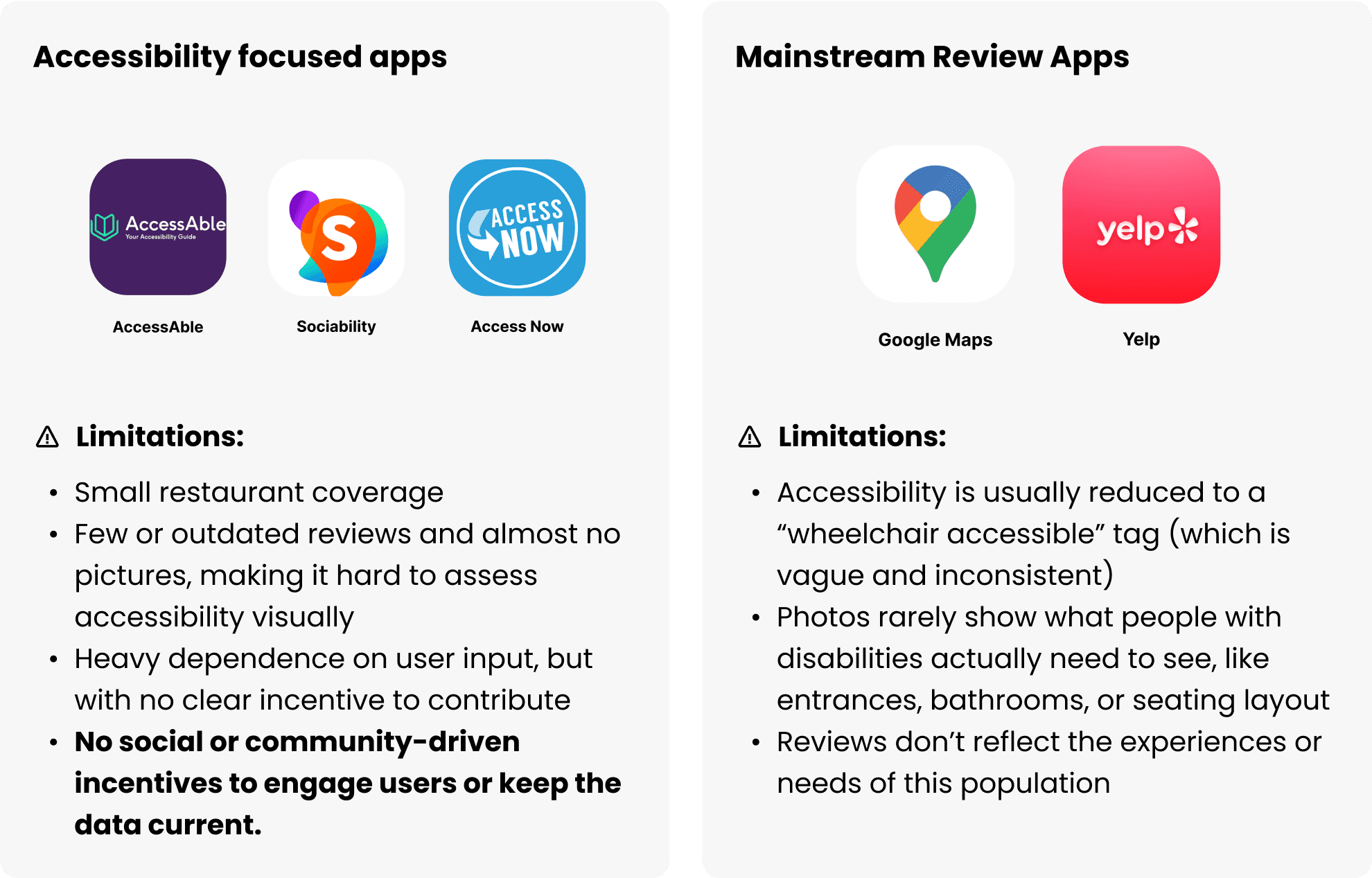
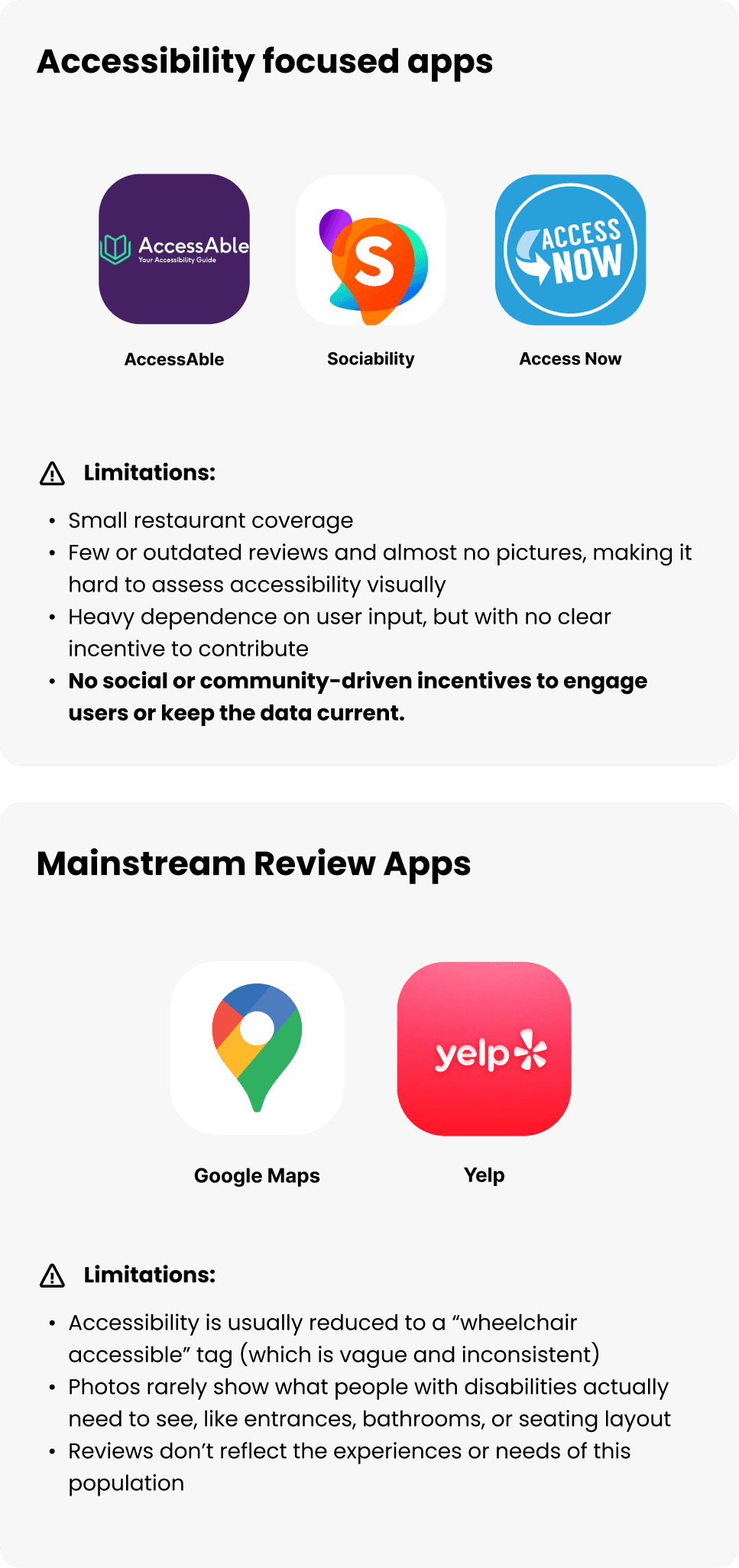
Drawbacks and Reframing the Problem

I realized that our initial idea would only repeat the same harmful cycle.
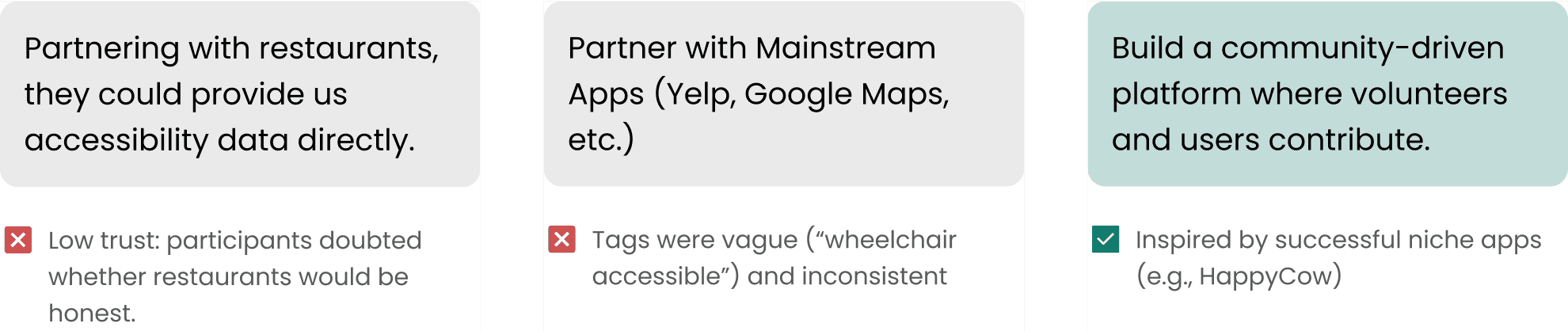
Our first plan repeated the same flaw: relying on people with disabilities to supply accessibility data.


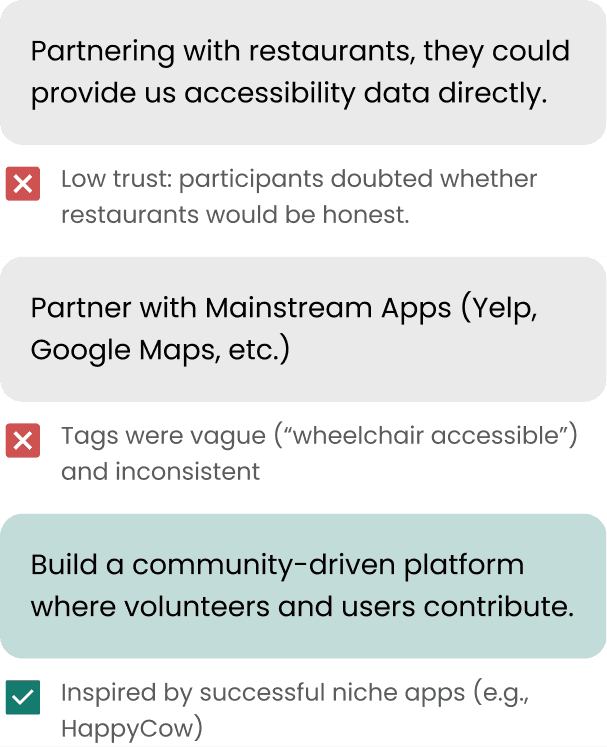
We considered three alternative directions:

Our first plan repeated the same flaw: relying on people with disabilities to supply accessibility data.


We considered three alternative directions:

iterations

Early designs

In May 2025, we submitted our early screens to the UX Design Awards, where our case study was nominated 🥳🎉. Check our nomination here.

In May 2025, we submitted our early screens to the UX Design Awards, where our case study was nominated 🥳🎉. Check our nomination here.

Testing + improvements

Because we did not have time to conduct user testings before the competition deadline, I decided to keep working on the project and conducted further testings and iterations over the summer of 2025!

Because we did not have time to conduct user testings before the competition deadline, I decided to keep working on the project and conducted further testings and iterations over the summer of 2025!

Final solution

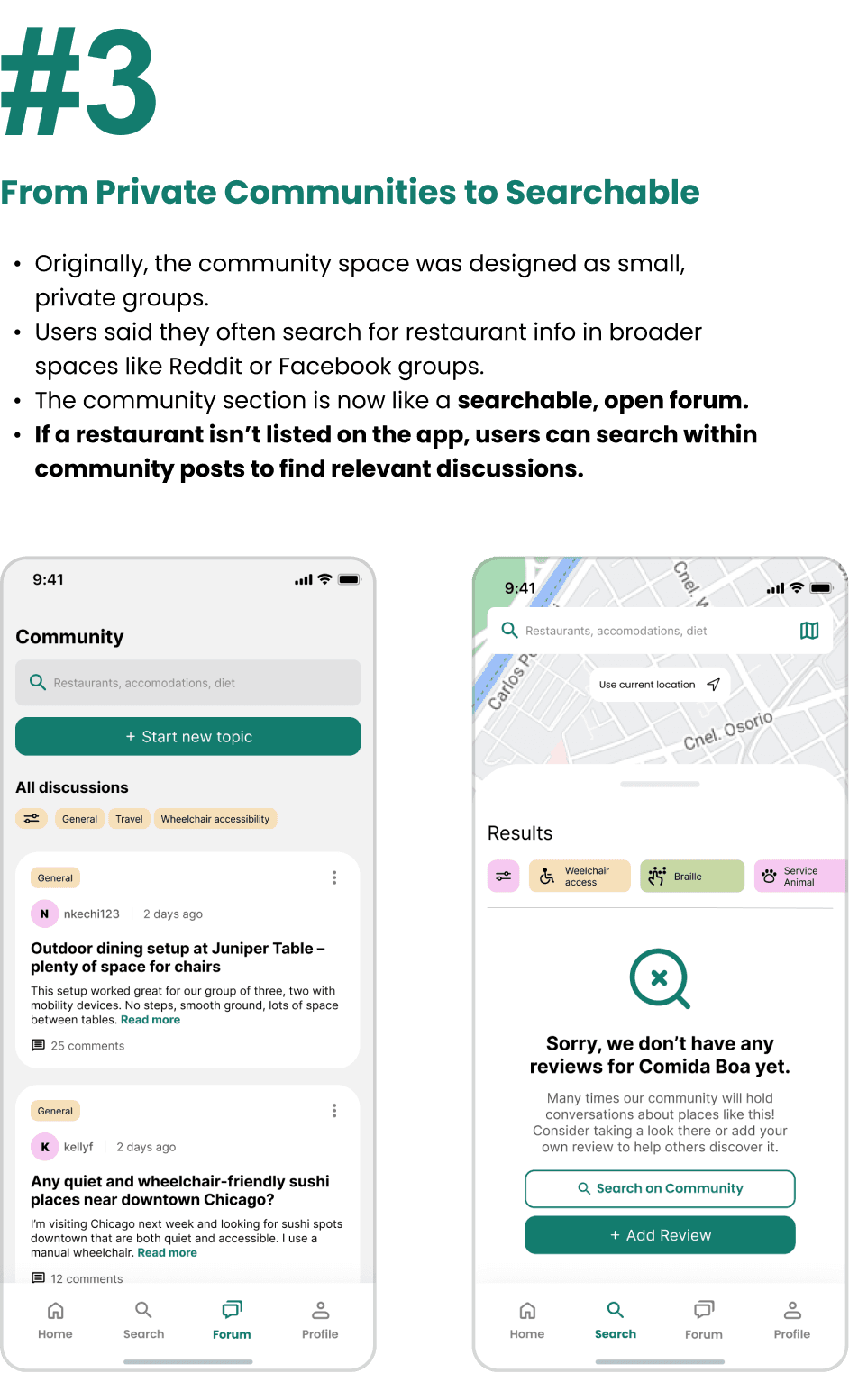
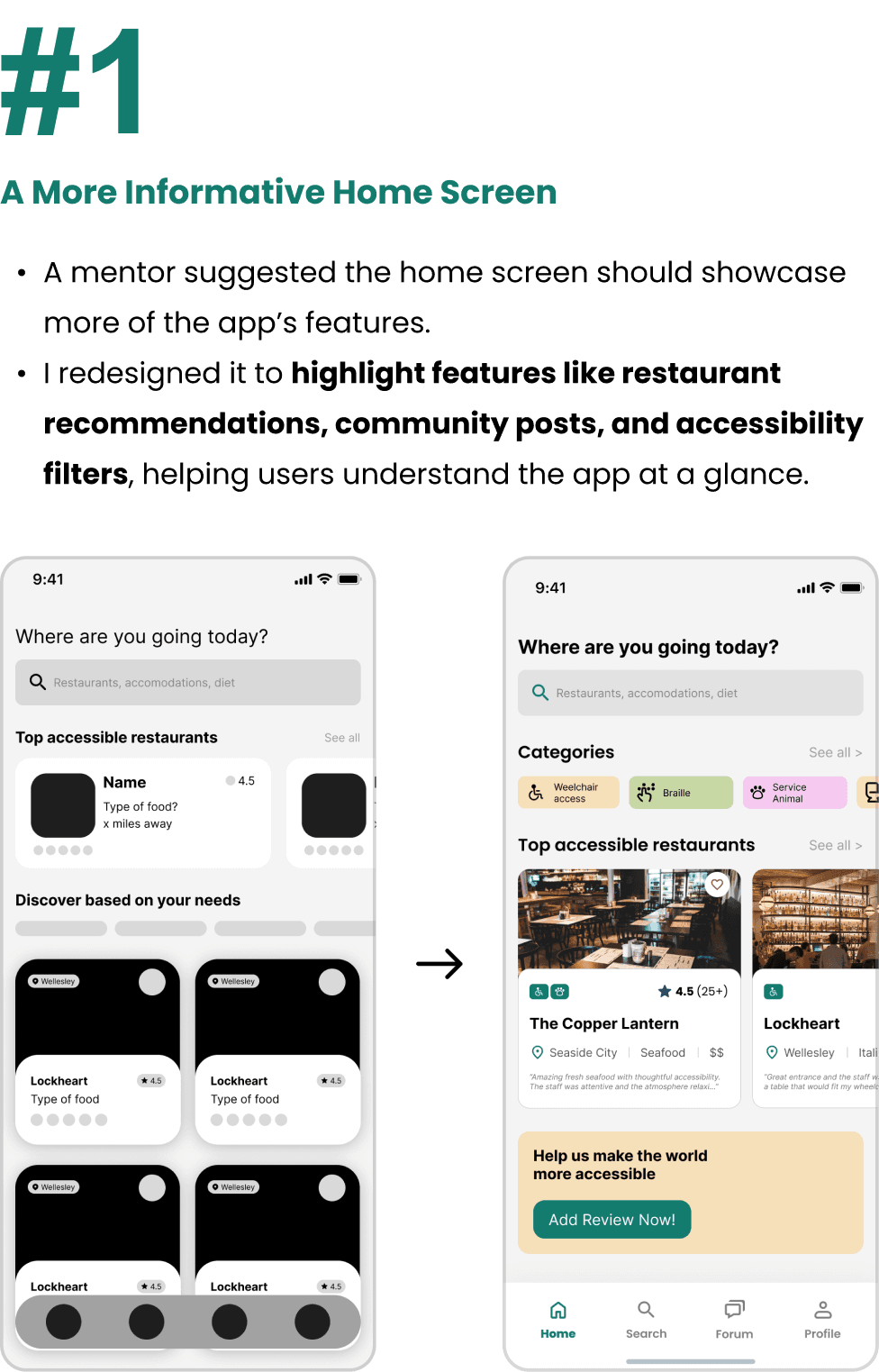
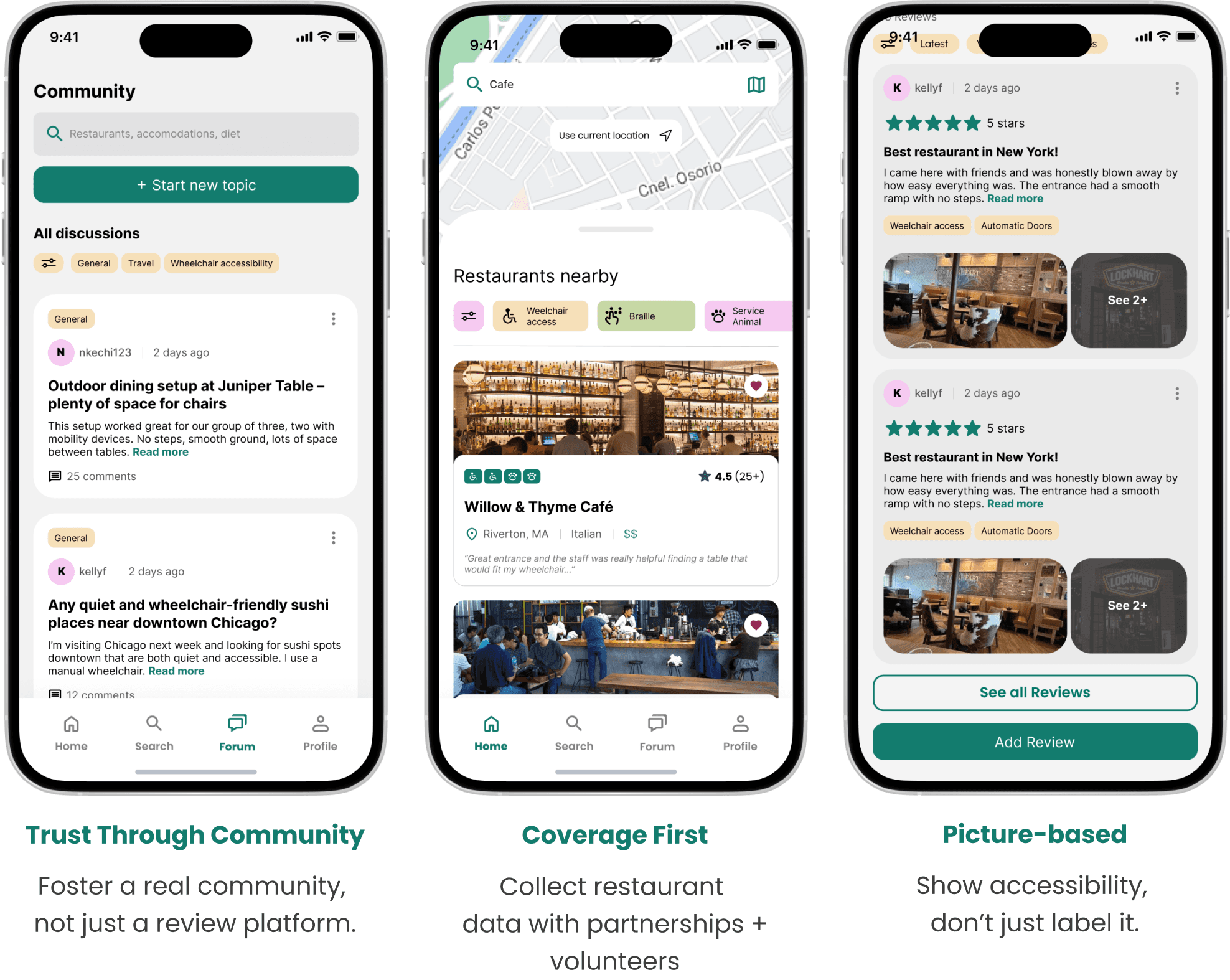
Community is key

final SOLUTION

Community is key

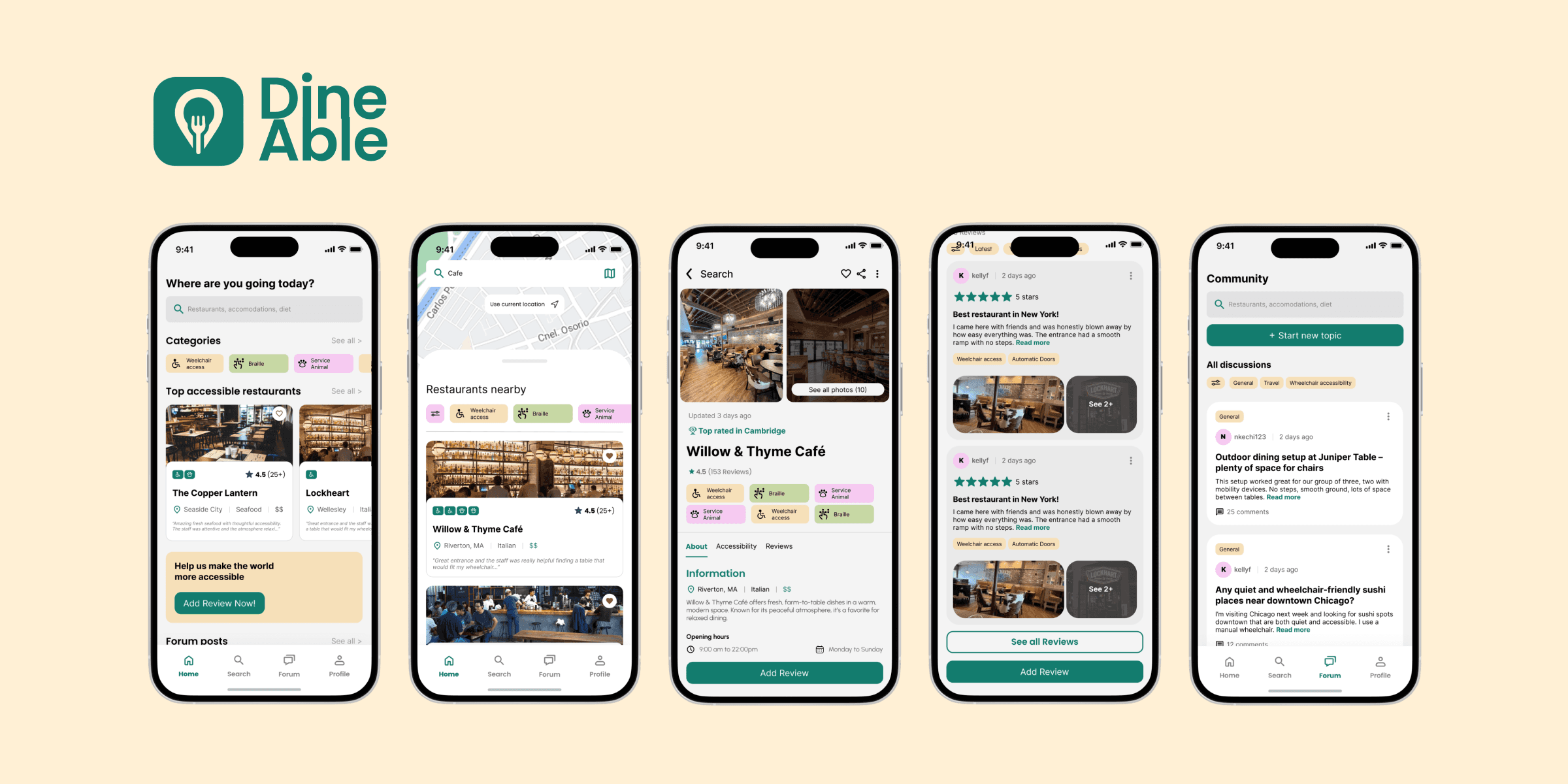
The prototype

IMPACT + SUCCESS

Impact of DineAble

While I did not conduct large-scale impacts, the design solutions directly addressed the core problems identified in research:

While I did not conduct large-scale impacts, the design solutions directly addressed the core problems identified in research:

Shifted the burden away from users

Shifted the burden away from users

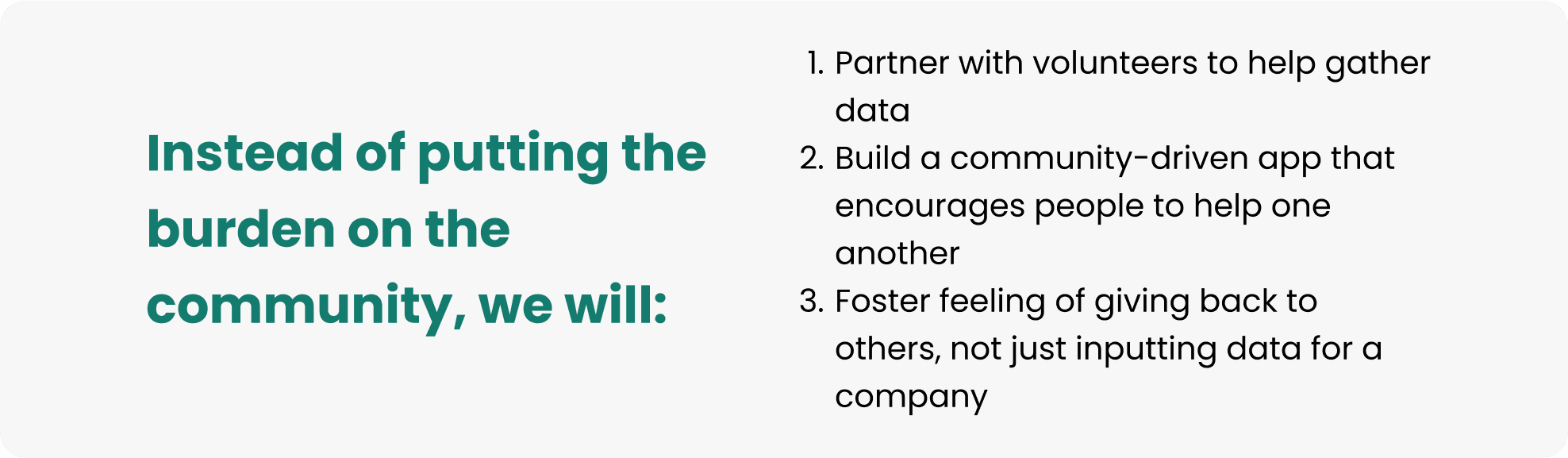
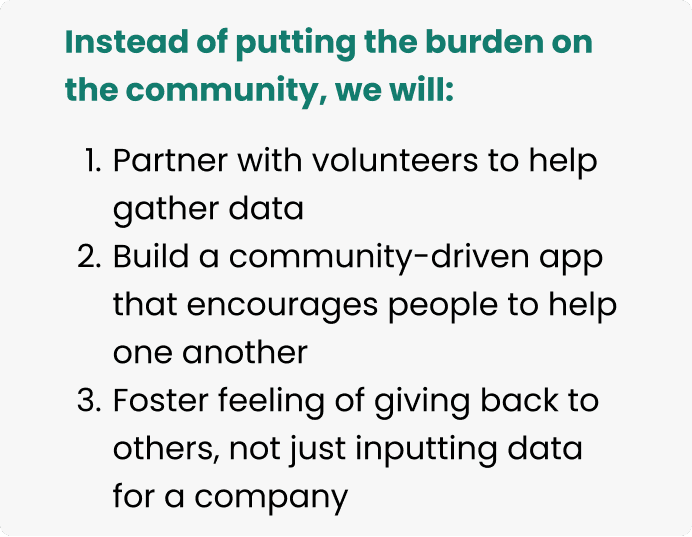
We designed DineAble to reduce the pressure on people with disabilities by creating new contribution models, leveraging volunteers and community members to share accessibility data.

Fostering trust and community

Fostering trust and community

By connecting people to each other, the app makes accessibility information more trustworthy and motivates users to contribute. This builds long-term retention and increases contributions over time.

Supporting sustainable engagement

Supporting sustainable engagement

Features like forums and multimedia reviews motivate participation beyond one-time input, making the app more useful over time.

I’d love to meet you :)

Contact me if you have a question, some feedback or want to collaborate

© 2026 Kelly Ramos Pereira

I’d love to meet you :)

Contact me if you have a question, some feedback or want to collaborate

© 2026 Kelly Ramos Pereira

Create a free website with Framer, the website builder loved by startups, designers and agencies.